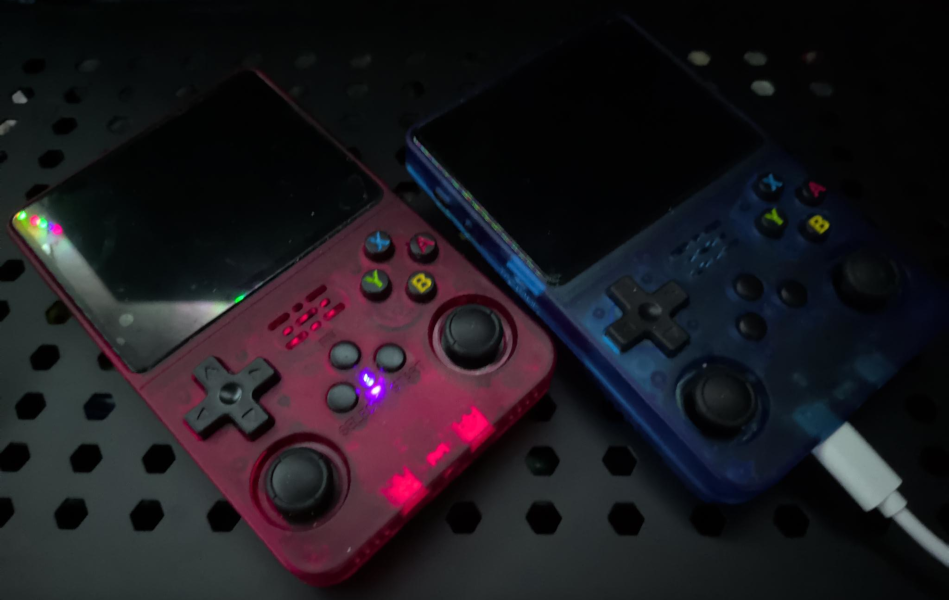
had some time to work on the r36s game console clones that i purchased a while back.
// init >
i purchased a couple of r36s clones off of amazon a while back (r36s-v20, per the board), but didn’t have any time to tinker with them. since i now have plenty of time to do so, i went ahead and got both of them cleaned up. i hadn’t really used them much other than an initial test run, but only one of them would boot up to arkos. the other would stall out at the loading screen, which i took as an indicator that the sd card was screwed up.
since i have one working sd card, i figured i’d dump it and migrate it to two new sd cards instead of going through the hassle of finding roms and figuring out the file structure.
this was done on arch linux, btw.
// dumping the sd card >
i slotted the garbage sd card into a usb sd card reader and ran lsblk, but it wasn’t picking anything up. i check dmesg and found this:
[232072.383105] usb-storage 1-8.4:1.0: USB Mass Storage device detected
[232072.384399] scsi host6: usb-storage 1-8.4:1.0
[232073.436405] scsi 6:0:0:0: Direct-Access Generic- SD/MMC 1.00 PQ: 0 ANSI: 0 CCS
[232074.041501] sd 6:0:0:0: [sdb] 31129600 512-byte logical blocks: (15.9 GB/14.8 GiB)
[232074.042144] sd 6:0:0:0: [sdb] Write Protect is off
[232074.042156] sd 6:0:0:0: [sdb] Mode Sense: 03 00 00 00
[232074.042549] sd 6:0:0:0: [sdb] No Caching mode page found
[232074.042561] sd 6:0:0:0: [sdb] Assuming drive cache: write through
[232074.057030] sd 6:0:0:0: [sdb] Attached SCSI removable disk
[232133.155472] EXT4-fs (sdb): VFS: Can't find ext4 filesystem
[232133.156971] EXT4-fs (sdb): VFS: Can't find ext4 filesystem
[232133.158353] EXT4-fs (sdb): VFS: Can't find ext4 filesystem
[232133.162066] FAT-fs (sdb): bogus number of reserved sectors
[232133.162078] FAT-fs (sdb): Can't find a valid FAT filesystem
[232156.023761] usb 1-8.4: USB disconnect, device number 6
[232160.066529] usb 1-8.4: new high-speed USB device number 7 using xhci_hcd
[232160.174892] usb 1-8.4: New USB device found, idVendor=0bda, idProduct=0109, bcdDevice= 9.59
[232160.176755] usb 1-8.4: New USB device strings: Mfr=1, Product=2, SerialNumber=3
[232160.176759] usb 1-8.4: Product: USB2.0-CRW
[232160.176761] usb 1-8.4: Manufacturer: Generic
[232160.176762] usb 1-8.4: SerialNumber: 20090815198100000
something was definitely not right with this thing. it was also seeing it as a 16 GB card instead of a 64 GB like the label said.
i swapped the sd card with one of the new sandisk cards that i purchased to compare.
[231961.034043] usb-storage 1-8.4:1.0: USB Mass Storage device detected
[231961.034304] scsi host6: usb-storage 1-8.4:1.0
[231961.034444] usbcore: registered new interface driver usb-storage
[231961.041259] usbcore: registered new interface driver uas
[231962.076449] scsi 6:0:0:0: Direct-Access Generic- SD/MMC 1.00 PQ: 0 ANSI: 0 CCS
[231962.825720] sd 6:0:0:0: [sdb] 124735488 512-byte logical blocks: (63.9 GB/59.5 GiB)
[231962.826387] sd 6:0:0:0: [sdb] Write Protect is off
[231962.826400] sd 6:0:0:0: [sdb] Mode Sense: 03 00 00 00
[231962.827754] sd 6:0:0:0: [sdb] No Caching mode page found
[231962.827767] sd 6:0:0:0: [sdb] Assuming drive cache: write through
[231962.852241]sdb: sdb1 sdb2
[231962.852672] sd 6:0:0:0: [sdb] Attached SCSI removable disk
[231995.511938] usb 1-8.4: USB disconnect, device number 5
[232072.258728] usb 1-8.4: new high-speed USB device number 6 using xhci_hcd
[232072.366955] usb 1-8.4: New USB device found, idVendor=0bda, idProduct=0109, bcdDevice= 9.59
[232072.369089] usb 1-8.4: New USB device strings: Mfr=1, Product=2, SerialNumber=3
[232072.369101] usb 1-8.4: Product: USB2.0-CRW
[232072.369107] usb 1-8.4: Manufacturer: Generic
[232072.369112] usb 1-8.4: SerialNumber: 20090815198100000
here are the steps i followed to dump and recover the arkos image:
- run
drescueto dump the contents of the garbage sd card.
> ddrescue -d -r3 /dev/sdb ~/bak/arkos-source.img ~/bak/arkos-source.logfile

Start time: 2026-09-15 13:45:43

Current time: 2026-09-15 14:02:20

Finished

current_poscurrent_statuscurrent_pass

0x3B5FF0000 + 1
possizestatus

0x000000000x3B6000000+
- check the dump to see if anything changed.
> sudo file ~/bak/arkos-source.img
~/bak/arkos-source.img: data
> sudo fdisk -l ./arkos-source.img
Disk ./arkos-source.img: 14.84 GiB, 15938355200 bytes, 31129600 sectors
Units: sectors of 1 * 512 = 512 bytes
Sector size (logical/physical): 512 bytes / 512 bytes
I/O size (minimum/optimal): 512 bytes / 512 bytes
Still showing garbage.
- run
testdiskto see if it will pick up the filesystem signatures and try to rebuild.
> sudo testdisk ~/bak/arkos-source.img
when running testdisk, select these options:
analyzequick search- select the first partition and then
write(partition shouldn’t matter)
after that, re-run:
fdisk -l ~/bak/arkos-source.img
it should show real partitions now.
│ # │ Label │ Type │ Size │ | - | ——— | ————- | ——————————————– | │ 1 │ [boot] │ FAT (MS Data) │ ~56 MiB │ │ 2 │ [root] │ Linux (ext4) │ ~6.6 GiB │ │ 3 │ [primary] │ FAT (MS Data) │ ~7.98 GiB — this is the roms/saves partition │
- we can now
loop-mountthe partitions and pull files directly, or justddthe whole repaired image onto the new card.
❯ sudo losetup -fP --show ~/bak/arkos-source.img
/dev/loop0
> lsblk /dev/loop0
NAMEMAJ:MIN RMSIZE RO TYPE MOUNTPOINTS
loop0 7:00 14.8G0 loop
├─loop0p1 259:00 56M0 part
├─loop0p2 259:106.6G0 part
└─loop0p3 259:208G0 part
> sudo mkdir -p /mnt/boot /mnt/root /mnt/primary
> sudo mount /dev/loop0p1 /mnt/boot
> sudo mount /dev/loop0p2 /mnt/root
> sudo mount /dev/loop0p3 /mnt/primary
> ls /mnt/boot
> ls /mnt/root
> ls /mnt/primary
i didn’t have any issues after repairing an mounting the partitions. filesystem and files were all present, so everything checked out. at this point, with the partitions loop-mounted, you could add any new roms, themes, or other files if you like.
- after confirming the contents look right, tidy up:
> sudo umount /mnt/boot /mnt/root /mnt/primary
> sudo losetup -d /dev/loop0
- proceed with the
ddonto the new card.
> sudo dd if=~/bak/arkos-source.img of=/dev/sdb bs=4M status=progress conv=fsync
- once
ddfinishes, pop it into one of the r36s consoles and test it out.
> lsblk -f /dev/sdb
NAME FSTYPE FSVER LABELUUID FSAVAIL FSUSE% MOUNTPOINTS
sdb
├─sdb1 vfat FAT16 BOOT 8B25-5227
├─sdb2 ext4 1.0 root e139ce78-9841-40fe-8823-96a304a09859
└─sdb3 exfat1.0 EASYROMS 5D67-E634
if arkos doesn’t auto-expand the roms partition (it didn’t for me) to use the new card’s full capacity, you can grow partition 3 afterward with the utility of your choice. what I ended up doing to ensure everything worked out: backup → resize → reformat → restore.
- expanding partitions.
# if not auto-mounted:
> sudo mkdir -p /mnt/roms
> sudo mount /dev/sdb3 /mnt/roms
# run your backup
> mkdir -p ~/easyroms-backup
> rsync -av /mnt/roms/ ~/bak/easyroms-backup/
# unmount and fix gpt + resize the part table
> sudo umount /mnt/roms
> sudo sgdisk -e /dev/sdb
> sudo parted /dev/sdb resizepart 3 100%
# reformat as exfat at the new size, same label
> sudo mkfs.exfat -L EASYROMS /dev/sdb3
# remount and resync
> sudo mount /dev/sdb3 /mnt/roms
> sudo rsync -rtv --modify-window=1 --no-perms --no-owner --no-group /home/user/bak/easyroms-backup/ /mnt/roms/ # i needed to run rsync this way to circumvent perm issues
with that done:
> df -h /mnt/roms
should show the full expanded size. retain your backup copy if you wish.
// follow-up >
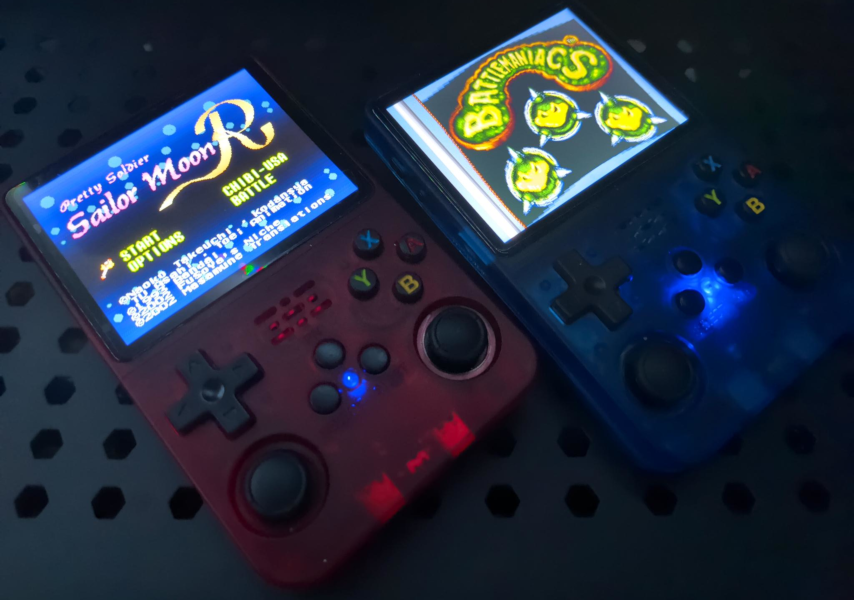
i did end up adding a few other roms that i procured from archive.org, but since wifi doesn’t appear to function properly on either of my clones, the game list update did not work for me. this also meant the scraper wasn’t going to work either.
instead, because i just wanted the damn thing to work at this point, i had claude build a python script to rebuild the game list xml file locally. this is a quick and dirty solution since it will not populate the description and other properties of the roms, but it did get the list updated to where i can play all the additional roms i loaded up, which is what i actually care about.
download the script here: rebuild_gamelists.py.md
// thoughts >
these little embedded linux devices are pretty neat and could likely be used for some interesting projects aside from playing video games. one potential use case is to create some custom scripts to turn them into wifi pentesting tools since they come with otg ports. not sure on driver support since i haven’t tested anything out, but if i can load up one of my panda wifi dongles and port kismet (or another utility) it might open the door to some creative tomfuckery. this might be a neat idea for a later time, but i do have some raspis lying around as well as some cyds that i would like to mess around with at some point.

i bought a new 3d printer that i need to get set up as well. i was planning on getting that going, fixing my ender3 and maybe building an enclosure, then building out these projects that i’ve been wanting to work on for a while now.
// eof >
being unemployed is awesome. stop being a corporate slave. hack the fuckin’ planet.
- an0malous